
You can now add Looped to ChatGPT as a plugin. Once it's added, ChatGPT signs in to Looped as you, so you can log time, check your hours and draft invoices or manage your books from the ChatGPT app.
Here's how to set it up:
Add the plugin
Copy the link to our MCP server:
https://api.looped.sh/mcp-
Open chatgpt.com and click Plugins in the sidebar.
-
Click Add, then Add custom MCP server.
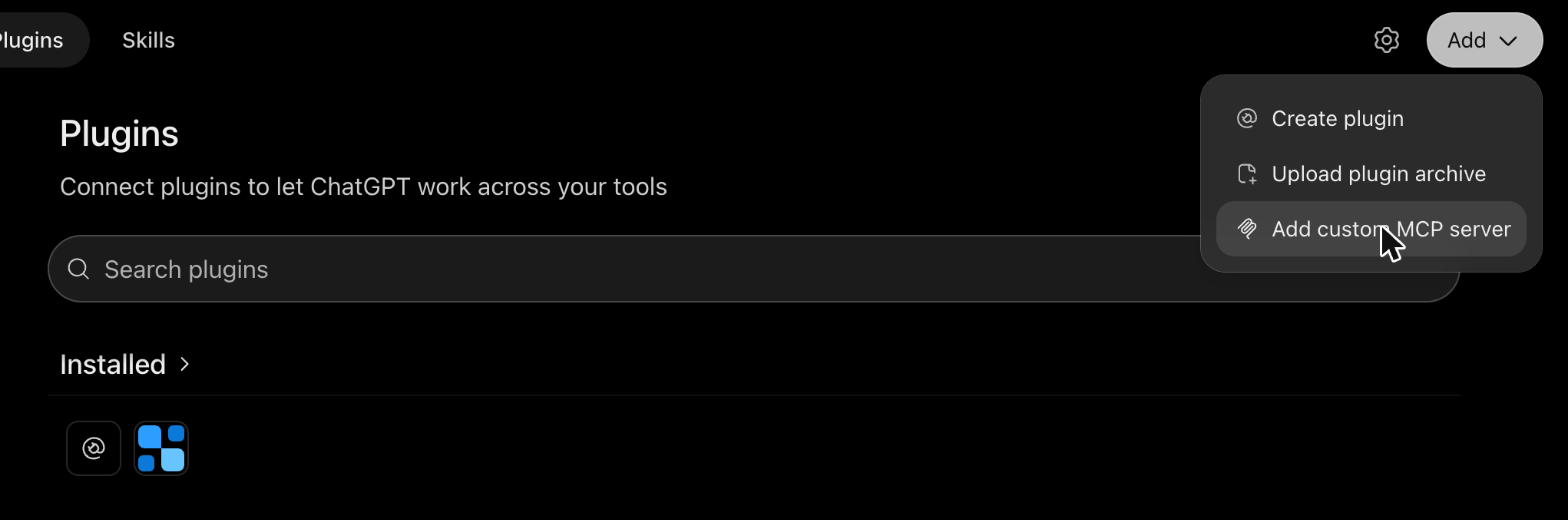
Plugins › Add › Add custom MCP server. -
Name it
Looped. Paste the address above into Server URL. Leave Authentication on OAuth.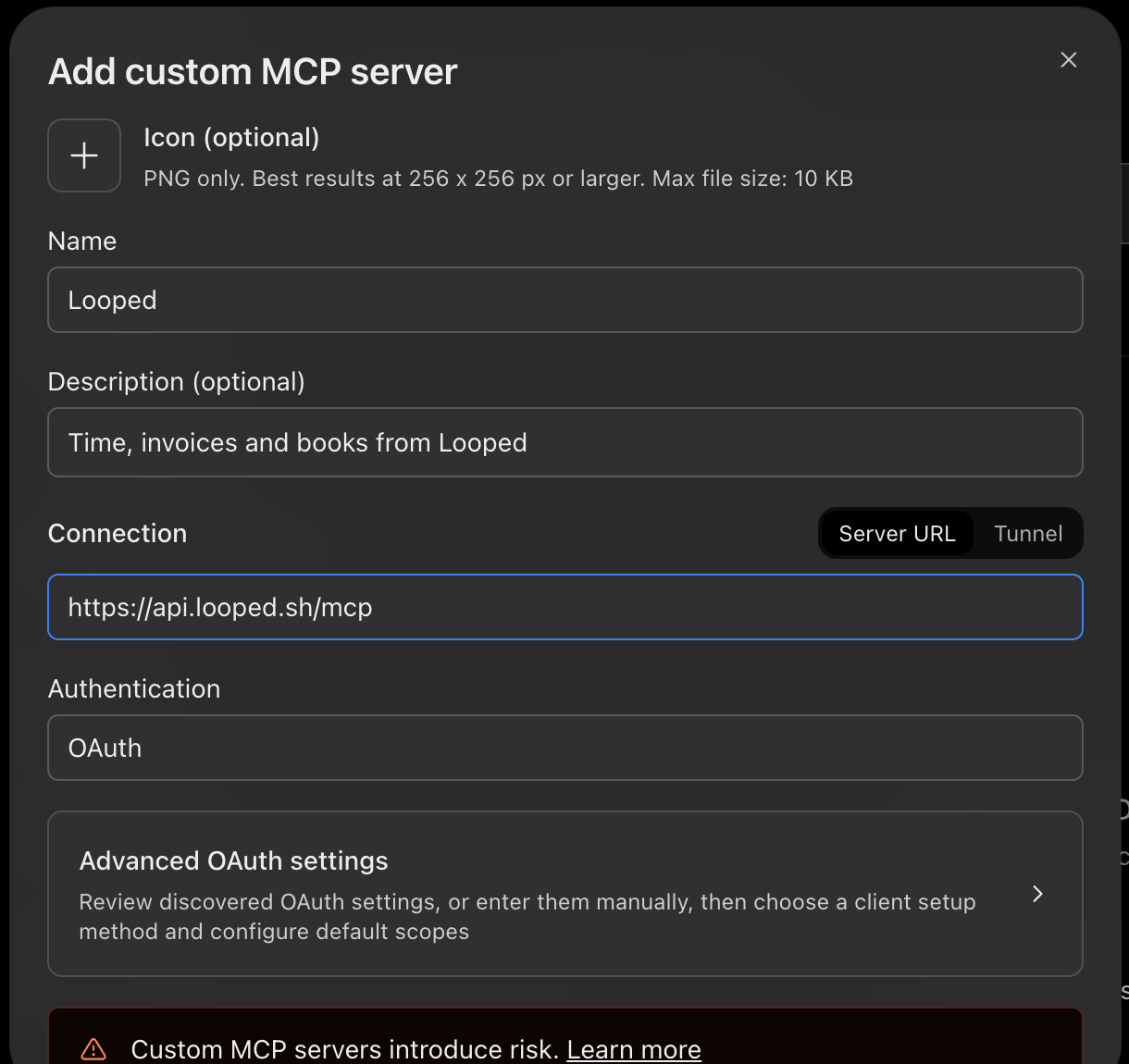
The server URL is the only value you type. Authentication stays on OAuth. -
Tick I understand and want to continue, then click Create as a plugin.
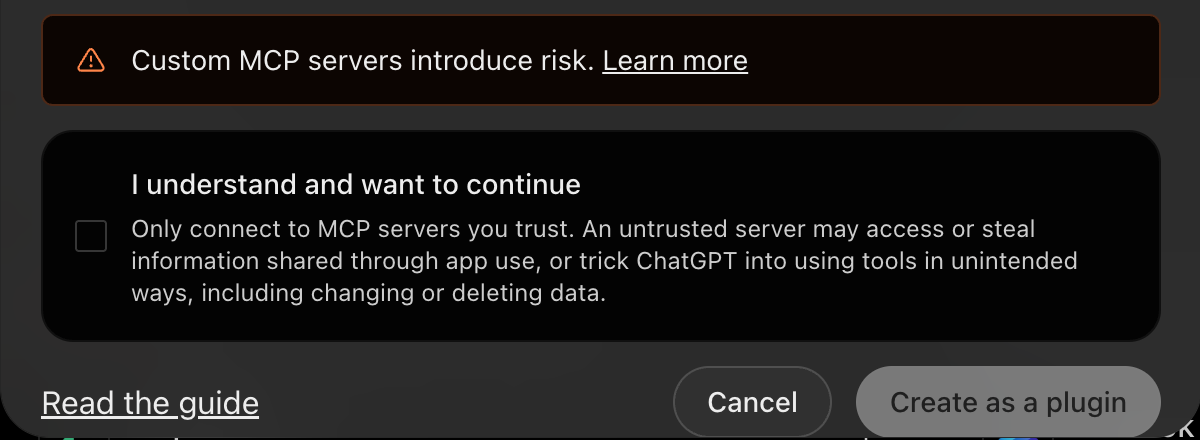
Tick the box, then Create as a plugin. -
A Looped sign-in window opens. Sign in with your normal Looped account and approve access. There's no API key to copy.
That's it. Looped now shows up under Installed on the Plugins page.
Ask it something
Start a new chat and type @Looped. Pick it from the list, then ask in plain words.
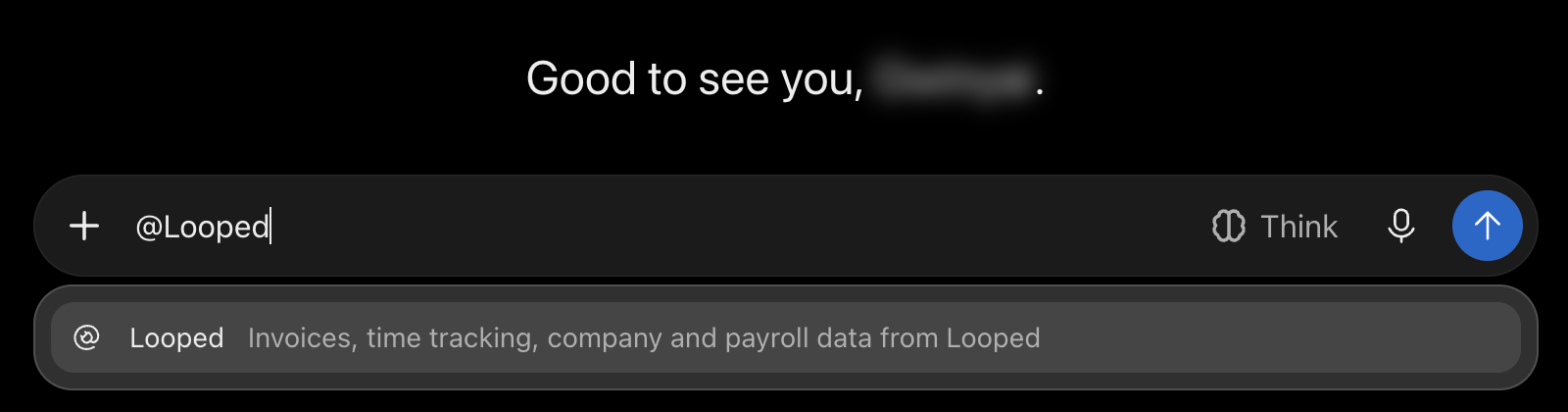
Keep it short. You don't need to explain yourself to it. You can even pick the tone.
@Looped what have I got plugged into Looped? Keep it short, sports commentator voice.
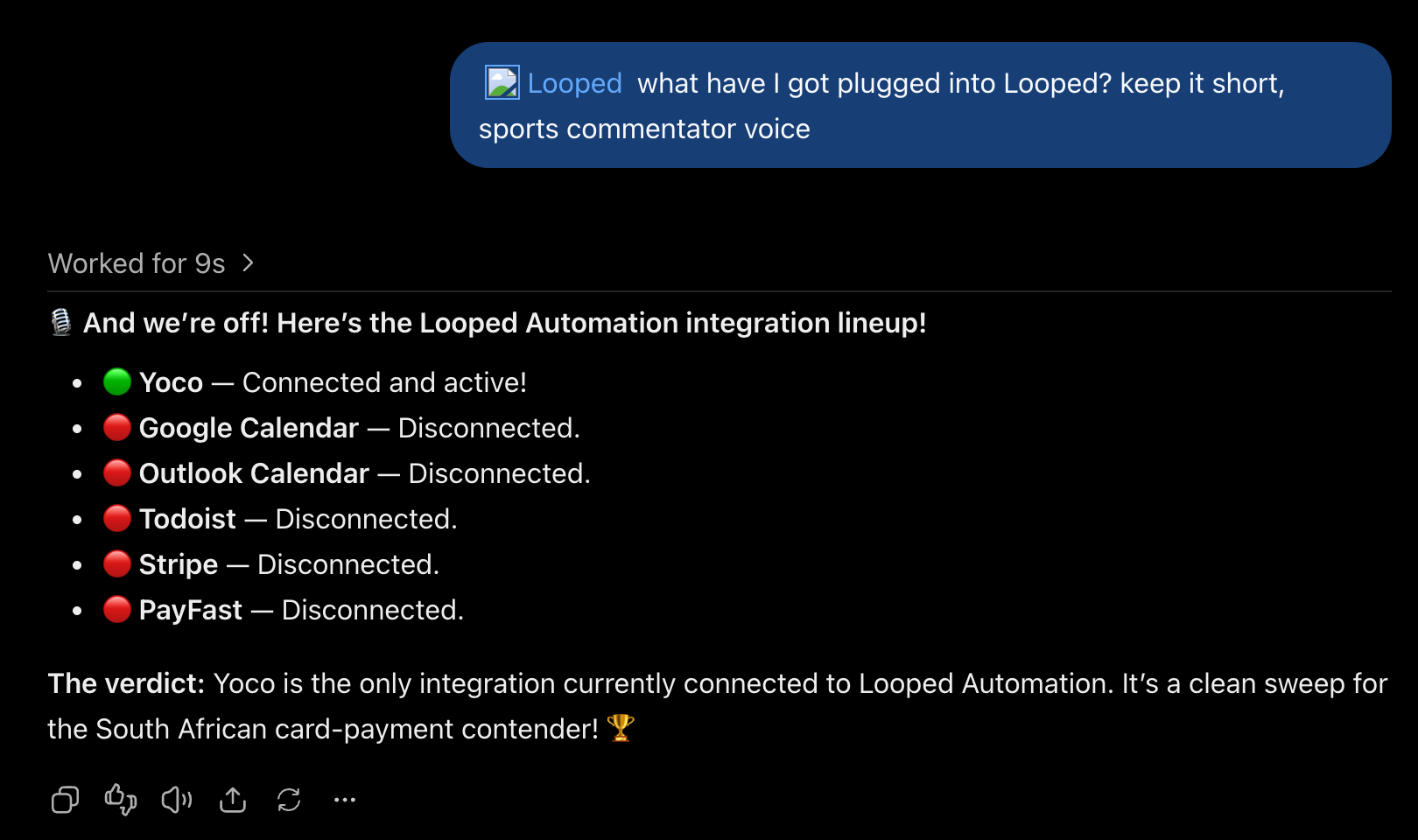
ChatGPT asked Looped, got the real list back, and made it a match report.
Some more to try:
@Looped log 25 mins for today: naming the office plant. We went with Gerald.
@Looped how many hours did I track this week? Be gentle.
@Looped draft an invoice from last month's unbilled time. Don't send it. I'm not emotionally ready.
Invoices come back as drafts unless you ask ChatGPT to send them. Check the draft in Looped before it goes to a client.
Keep it in check
Find Looped under Settings → Plugins to see what it's connected to.
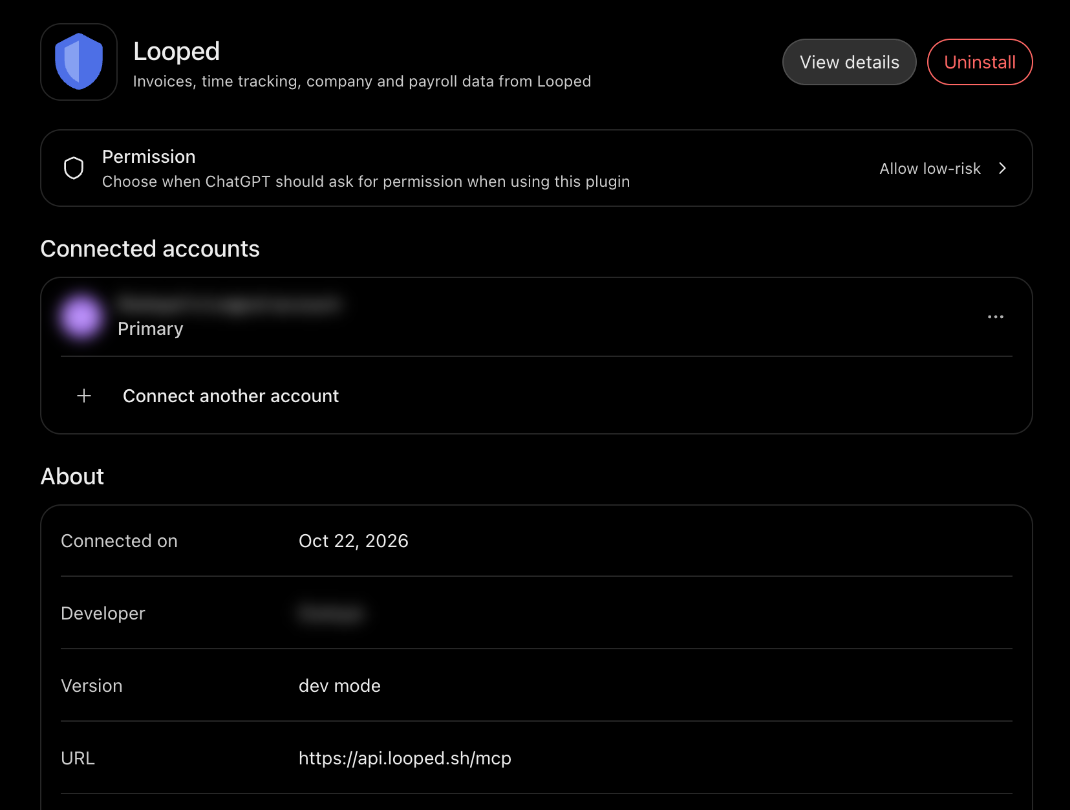
- Permission sets when ChatGPT asks before using Looped. Allow low-risk is a sensible default.
- Connected accounts shows which Looped login it uses.
- Uninstall removes it and revokes access.
ChatGPT acts as you, with your permissions. It only sees the companies you belong to.
Tips
- Name the company. In more than one company? Say which: "In Looped Automation, list unpaid bills."
- Ask for a draft first. For invoices and journal entries, look before anything is issued or posted.
- Use
@Looped. Mentioning it makes sure ChatGPT reaches for your books, not its imagination.
Using Claude instead? Here's how to connect Claude to Looped.
If something doesn't work, or you want ChatGPT to do something it can't yet, email hello@looped.sh.
— Gwinyai